Zaza Remote
Transform your smartphone into a powerful universal controller
Say Goodbye to Remote Control Chaos
Are you tired of juggling multiple remotes for your TV, air conditioner, and other devices? The Zaza Remote application offers a practical solution by consolidating all your device controls into one convenient smartphone app. Developed by jugadmode, this tool brings simplicity back to home entertainment and climate control.
Why Choose This Universal Controller?
The beauty of Zaza Remote lies in its straightforward approach. Rather than keeping track of several remotes, you get one app that handles everything. It’s built to work with thousands of appliances from various manufacturers, making it a versatile choice for any household.
The connection process happens almost instantly, and the responsive interface means no frustrating delays between pressing a button and seeing results.
What Can You Do With It?
This application packs impressive functionality into an easy-to-use package:
Device Control Capabilities
- Manage televisions, air conditioning units, projectors, and digital displays
- Automatic recognition of compatible devices nearby
- Personalize your control panel layout
- Use voice commands for hands-free operation
- Set up macro actions that trigger multiple functions at once
- Add home screen widgets for instant access
- Organize controls by room without complicated setup
Smart Automation Options
The scheduling system lets you program temperature changes, channel selections, and display updates ahead of time. The app learns your habits and can recommend settings based on your usage patterns.
Technical Details You Should Know
What You Need:
| Requirement | Specification |
|---|---|
| Operating System | Android 6.0+ or iOS 12.0+ |
| Storage Space | Minimum 45 MB available |
| RAM | 2 GB recommended for smooth performance |
| Internet | Required during initial setup |
| IR Blaster | Built-in or external adapter needed |
Compatible Devices:
| Device Type | Details |
|---|---|
| Television Sets | Works with Samsung, LG, Sony, TCL, Panasonic, Philips, and over 150 additional brands. Features include picture adjustment, input selection, and channel memory. |
| Cooling Systems | Supports Daikin, Mitsubishi, Carrier, Gree, Haier, plus 200+ manufacturers. Control temperature schedules, eco settings, and fan speeds. |
| Display Panels | Compatible with smart screens, LED panels, and advertising boards. Manage content timing, brightness levels, and network settings. |
| Projection Equipment | Works with Epson, BenQ, ViewSonic, Optoma models. Adjust keystone settings and select input sources. |
Getting Started Is Simple
Download and Install
Find Zaza Remote in your phone’s app store and install it. The setup wizard walks you through the process step by step. When you first open it, allow the requested permissions so everything functions properly.
The app will automatically scan your surroundings for compatible devices. This usually takes less than 30 seconds, and you’ll see all available devices displayed on screen.
Download Zaza Remote Now
Adding Your Devices
Tap any device from the list to pair it. The app sends a test command to confirm everything is working. Once connected, you can customize the control interface using built-in templates or create your own button arrangement.
Advanced Capabilities
Automated Sequences
Build custom routines that control multiple devices with one tap. Picture this: a “Bedtime” routine that turns off your TV, sets the AC to your preferred sleeping temperature, and dims any connected lighting—all executed simultaneously.
You can also enable location triggers that activate routines when you enter or leave your home. The app recognizes your arrival and adjusts everything to your preferred settings automatically.
Managing Multiple Rooms
Control devices throughout your entire home or office from a single interface. This works particularly well for businesses with multiple display screens or households with several entertainment areas. Commands are sent instantly with no noticeable lag.
Designed for Easy Use
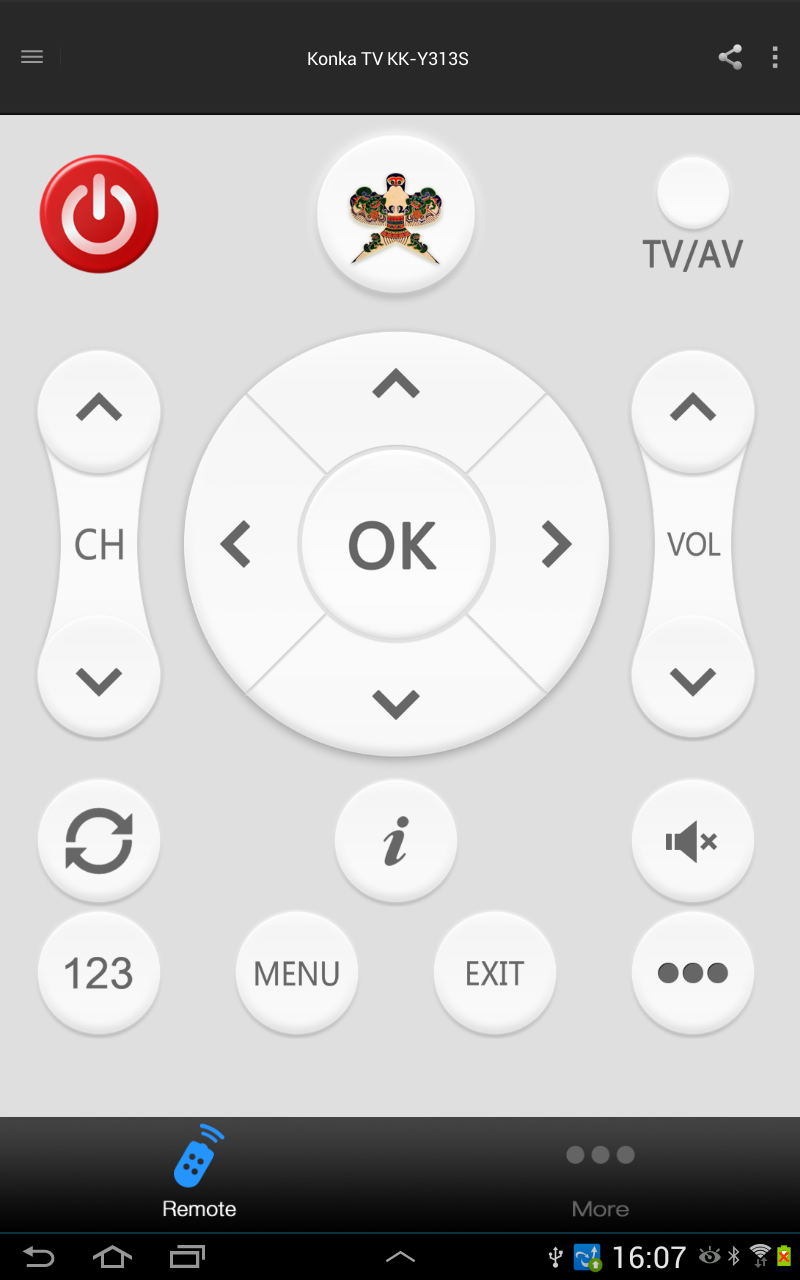
The interface focuses on clarity and simplicity. Your main screen shows all connected devices with intuitive icons. Switching between different device controls is fluid and immediate. You have complete freedom to arrange everything according to your preferences.
Accessibility Support
- Enlarged button mode for better visibility
- Voice control for hands-free operation
- Customizable layouts to accommodate different needs
If Something Goes Wrong
Most technical issues have quick fixes:
- Can’t Connect: Check your IR blaster is working and verify device compatibility
- Slow Response: Clear the app’s cache and restart your phone
- Device Not Found: Update the device database and run another scan
- Battery Draining Fast: Turn off background scanning in settings
The jugadmode support team provides additional help when needed.
Your Privacy Matters
Zaza Remote keeps your information secure. Settings and preferences are stored locally on your device whenever possible. Any data sent over the network uses encryption to maintain your privacy.
Your usage information stays private—it’s never sold or shared with outside companies. You decide what the app can access, and regular updates from jugadmode address any security concerns.
Final Thoughts
Managing electronic devices doesn’t have to be complicated. Zaza Remote brings all your controls together in one place, making daily interactions with technology more convenient. Whether you have just a few devices or manage a complex setup, this app adapts to your situation.
Ready to simplify your life? Get Zaza Remote from jugadmode today and turn your smartphone into the only remote control you’ll need. Experience the convenience of unified device management in the palm of your hand.
Available Now
Android (6.0+) • iOS (12.0+) • Free Download
Created by jugadmode