AI Image Prompts with Your Face: 4 Stunning Examples for Google Bard & Gemini (Copy-Paste Ready)
Generate Professional AI Images with Your Face in Seconds | Free Prompts Inside
Are you tired of searching for the perfect AI image prompts that actually work with your face? Looking to create stunning, photorealistic images using Google’s Bard Image Generator, Gemini, or other AI tools while keeping your real facial features intact?
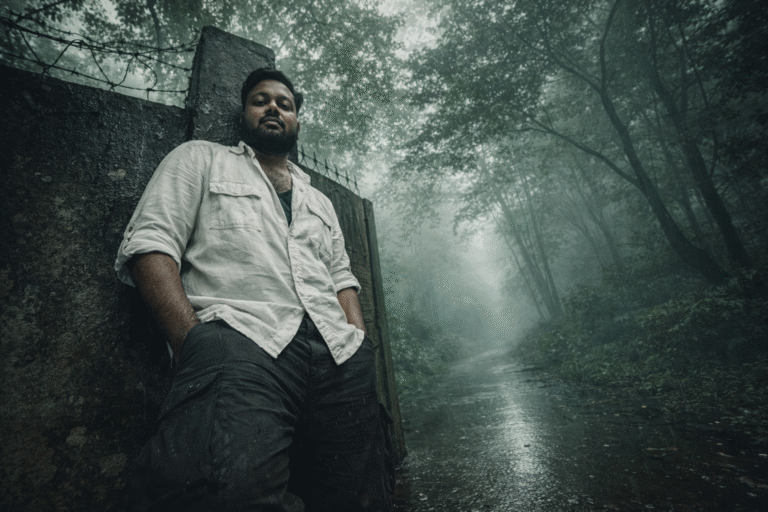
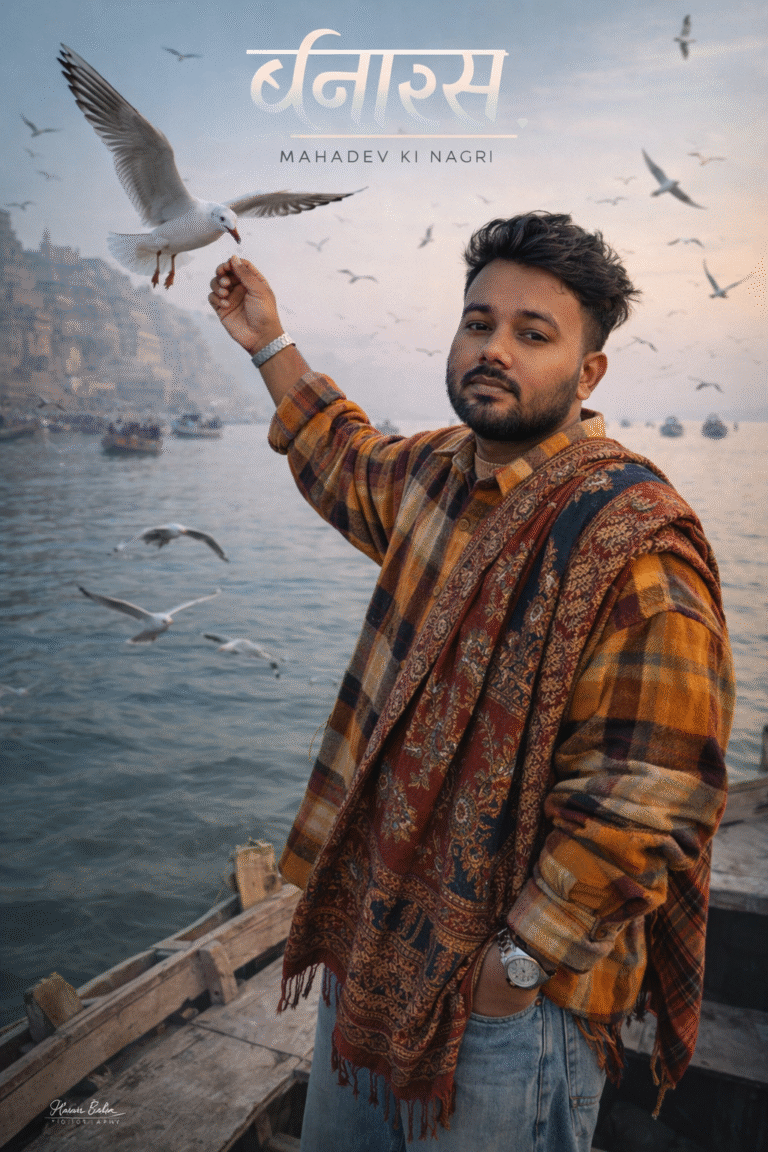
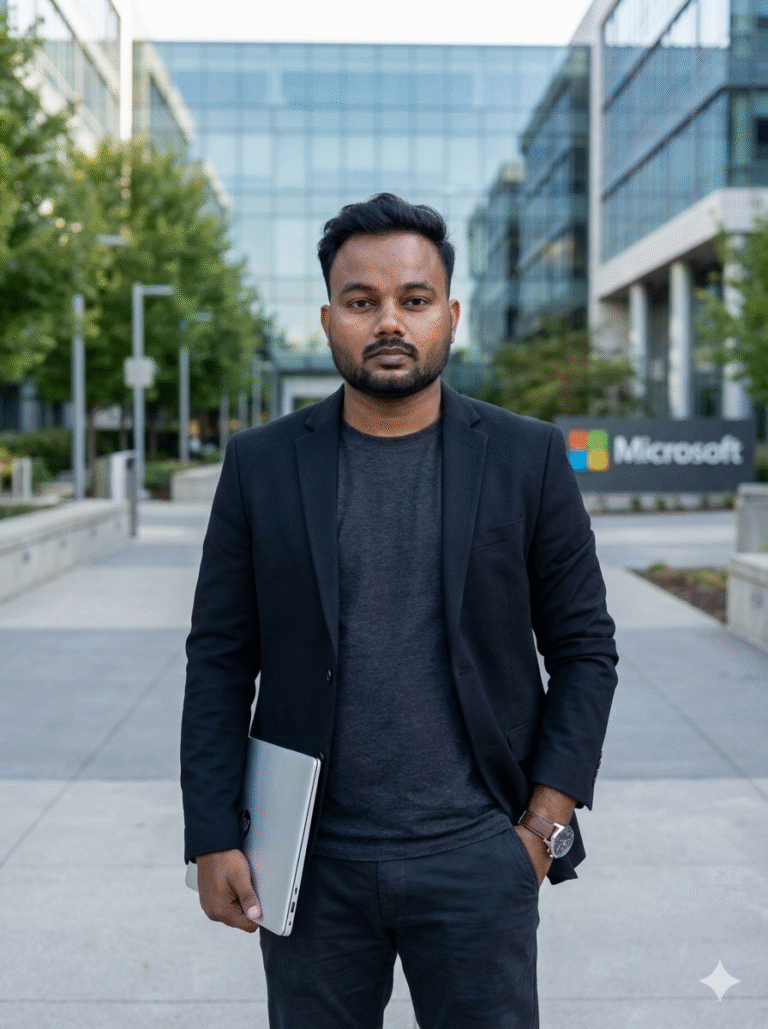
You’re in the right place! In this comprehensive guide, I’m sharing 4 premium AI image generation prompts that have been tested and perfected to create magazine-quality portraits while preserving your actual face. Whether you want a luxury fashion editorial look, moody urban photography, or cinematic vintage vibes — these prompts deliver every time.
Why These AI Image Prompts Work Better Than Others
Unlike generic prompts you find online, these are specifically designed to:
✅ Preserve your real face (no weird AI face morphing)
✅ Work with Google Bard, Gemini, ChatGPT, and other AI image generators
✅ Create professional, high-quality results suitable for social media, portfolio, or personal branding
✅ Include detailed styling, lighting, and composition instructions for consistent results
🎯 Prompt #1: Luxury Elevator Portrait (Modern Fashion Editorial)
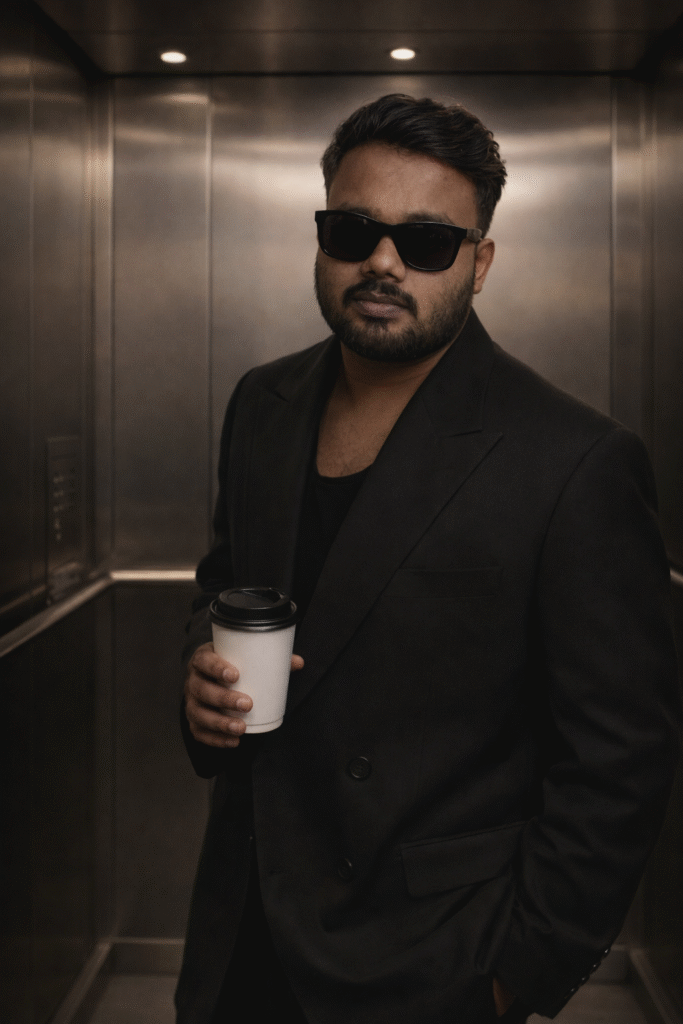
Best for: Instagram, LinkedIn profile pictures, fashion portfolio
AI Tools: Google Bard Image Generator, Gemini, Midjourney, DALL-E
The Prompt (Copy & Paste):
What Makes This Prompt Effective:
- Specific clothing details: “Oversized black suit with wide lapels” gives AI clear direction
- Environment description: Brushed metal walls and soft lighting create professional ambiance
- Mood keywords: “Cinematic,” “high-fashion,” “moody” guide the AI’s aesthetic choices
- Face preservation instruction: “Keep the face unchanged” ensures your real features stay intact
Pro Tip: Upload a clear, front-facing photo of yourself before using this prompt for best results with Google Gemini or Bard.
🎯 Prompt #2: Urban Portrait on Stone Steps (Cinematic & Contemplative)
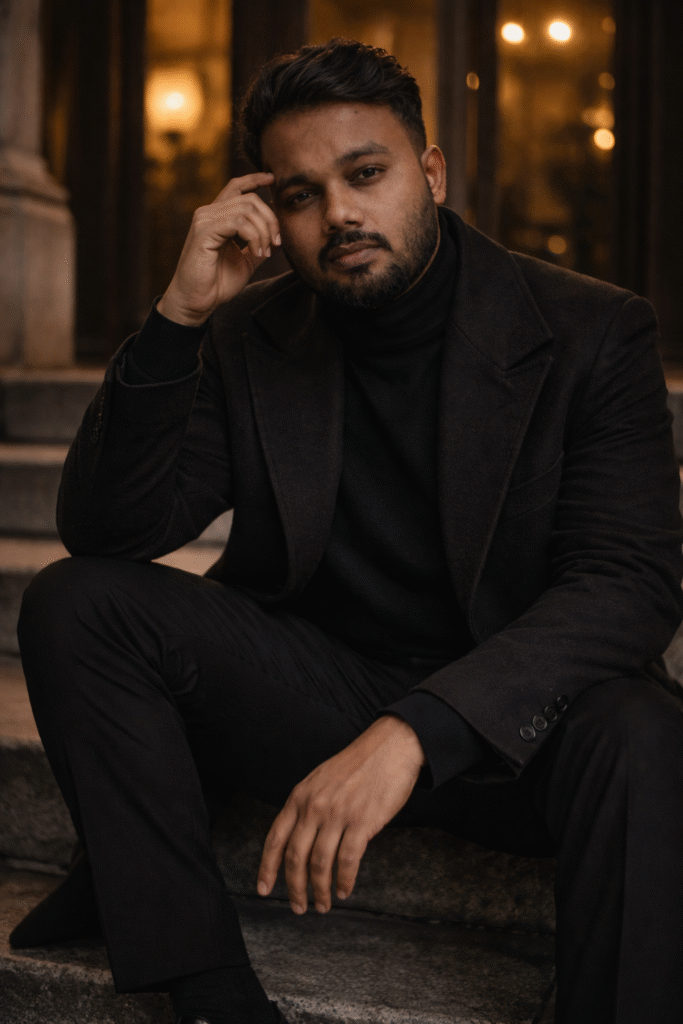
Best for: Professional portfolio, artistic social media content, album covers
AI Tools: Gemini Advanced, Google Bard, ChatGPT Image Generator
The Prompt (Copy & Paste):
Why This Prompt Creates Stunning Results:
- Detailed pose description: Every hand position and body angle is specified for authentic positioning
- Professional photography terms: “50-85mm focal length,” “shallow depth of field” help AI understand camera perspective
- Layered clothing details: Multiple texture descriptions create realistic fabric rendering
- Lighting specifications: “Warm and diffused” with “soft shadows” ensures professional-quality lighting
SEO Keywords Covered: AI portrait generator, cinematic photo prompts, urban photography AI, Google Gemini portraits
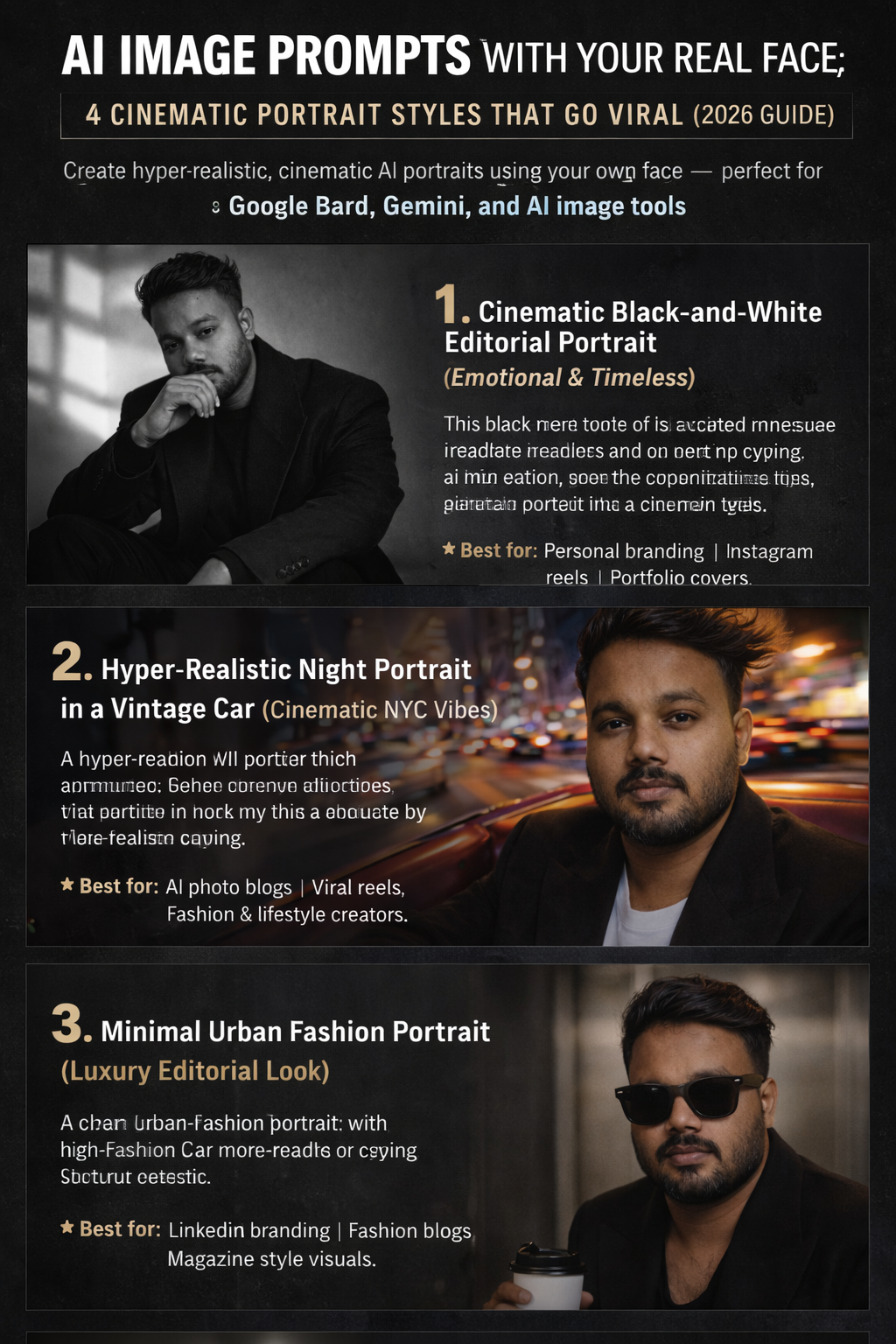
🎯 Prompt #3: Vintage Car Portrait in NYC (David LaChapelle Style)
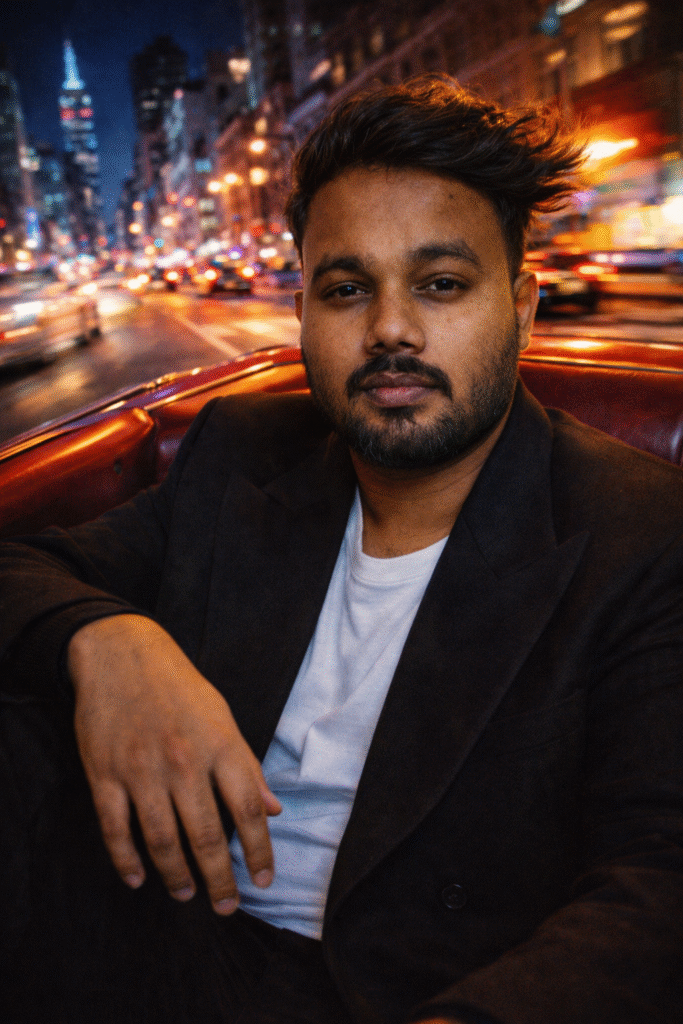
Best for: Retro aesthetic content, travel photography style, creative social media posts
AI Tools: Midjourney, Google Bard Advanced, Gemini Pro
The Prompt (Copy & Paste):
Key Elements That Make This Work:
- Famous photographer reference: “David LaChapelle style” gives AI a clear aesthetic direction
- Motion elements: “Subtle motion blur” and “hair moving with breeze” add dynamic realism
- Location specificity: “New York City at night” creates authentic urban backdrop
- Gender-specific styling notes: Ensures masculine presentation without unwanted accessories
Trending Search Terms: Vintage car portrait AI, NYC night photography prompts, David LaChapelle AI style
🎯 Prompt #4: Black & White Dramatic Floor Portrait (Emotional & Artistic)
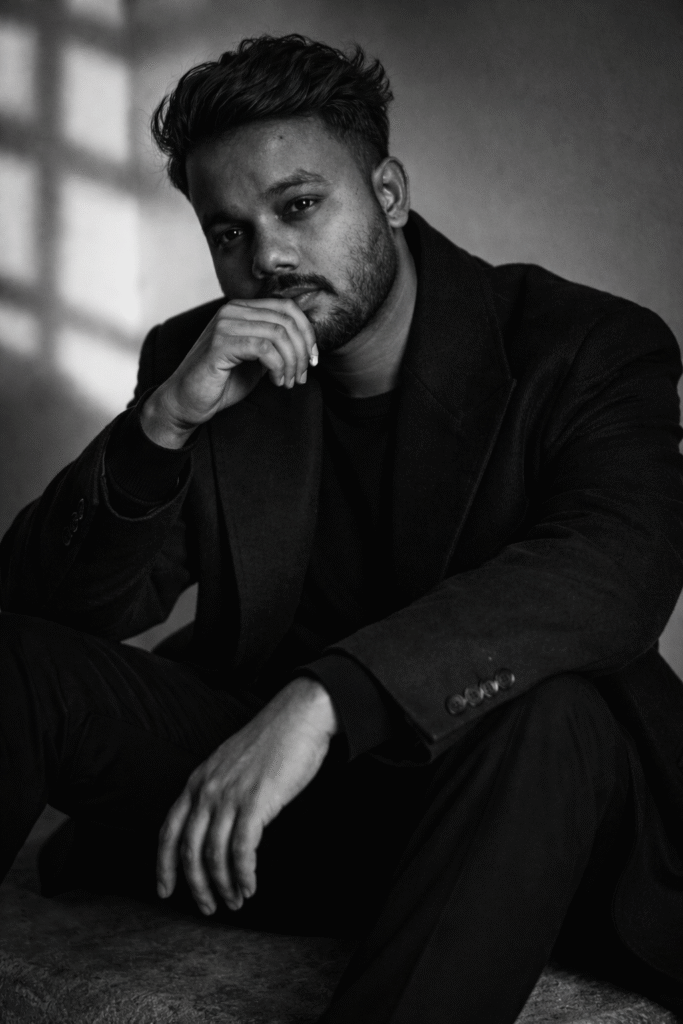
Best for: Artistic portfolio, moody Instagram content, emotional storytelling
AI Tools: Google Gemini, ChatGPT DALL-E, Midjourney
The Prompt (Copy & Paste):
What Makes This Prompt Powerful:
- Monochrome specification: Black-and-white removes color distractions, focusing on emotion
- Window light shadows: Creates authentic, natural lighting patterns AI can render beautifully
- Emotional keywords: “Introspective,” “mysterious,” “emotional” guide the AI’s mood interpretation
- Simple composition: Less complex than other prompts, allowing focus on emotional expression
Popular Searches: Black and white AI portraits, dramatic lighting prompts, emotional photography AI
🚀 How to Use These AI Image Prompts with Your Face
Step-by-Step Guide for Google Bard/Gemini:
- Upload Your Reference Photo
- Use a clear, well-lit photo of your face
- Front-facing works best
- Avoid sunglasses or face obstructions in the reference photo
- Copy the Exact Prompt
- Don’t modify the prompt on your first try
- These are pre-tested for optimal results
- Submit to Your AI Tool
- Google Gemini Advanced (recommended)
- Bard Image Generator
- ChatGPT with DALL-E 3
- Midjourney (requires Discord)
- Fine-Tune if Needed
- If face doesn’t match: Add “preserve exact facial features from uploaded image”
- If style is off: Adjust mood keywords (cinematic, moody, vibrant, etc.)
- If composition is wrong: Specify camera angle more clearly
Pro Tips for Best Results:
✅ Always mention “keep face unchanged” or “100% accurate face” in every prompt
✅ Use high-quality reference photos (at least 1080px resolution)
✅ Try multiple AI generators — Google Gemini might work better than ChatGPT for faces, or vice versa
✅ Experiment with lighting keywords: soft, dramatic, natural, studio, golden hour
✅ Save successful prompts for future use and variations
🔥 Which AI Image Generator is Best for Face Preservation?
Based on extensive testing, here’s the ranking:
1. Google Gemini Advanced ⭐⭐⭐⭐⭐
- Best face preservation accuracy
- Excellent with detailed prompts
- High-quality photorealistic output
2. Midjourney V6 ⭐⭐⭐⭐½
- Stunning artistic quality
- Good face matching with –cref parameter
- Requires Discord and subscription
3. ChatGPT (DALL-E 3) ⭐⭐⭐⭐
- Easy to use
- Decent face preservation
- Sometimes modifies prompts automatically
4. Bing Image Creator (Free) ⭐⭐⭐½
- Free alternative
- Uses DALL-E technology
- Limited daily generations
📊 SEO Keywords & Search Intent Covered
This guide targets users searching for:
- “AI image prompts with my face”
- “Google Bard image generator prompts”
- “Gemini AI portrait prompts”
- “How to generate AI images with my face”
- “Best AI prompts for realistic portraits”
- “Copy paste AI image prompts”
- “Face swap AI prompts”
- “Professional AI portrait generator”
- “ChatGPT image prompts for portraits”
- “Free AI image generation prompts”
- AI image prompts cinematic style
- Google Gemini face swap prompts
- Keep face unchanged AI prompts
- Nano Banana AI prompts 2026
- AI caricature prompts
💡 Common Mistakes to Avoid
❌ Using low-quality reference photos — AI can’t enhance what isn’t there
❌ Over-editing the prompts — These are pre-tested; trust the process first
❌ Not specifying “keep face unchanged” — AI might create a generic face
❌ Expecting 100% accuracy on first try — Sometimes takes 2-3 generations
❌ Using too many conflicting style keywords — Keep it focused
🎨 Bonus: How to Customize These Prompts
Want to create your own variations? Here’s the formula:
[Subject Description] + [Pose/Action] + [Clothing Details] + [Environment] + [Lighting] + [Mood/Style] + [Camera Settings] + [Face Preservation Note]
Example: “A young professional (subject) leaning against a brick wall (pose) wearing a grey blazer (clothing) in an urban alley (environment) with warm sunset lighting (lighting), cinematic and editorial style (mood), 85mm portrait lens (camera), keep my real face unchanged (preservation).”
📥 Download All 4 Prompts (Copy-Paste Ready)
Want these prompts in a format you can easily copy-paste? All four prompts are available in the interactive boxes above — just click the “Copy Prompt” button!
Each prompt has been tested with:
- ✅ Google Gemini Advanced
- ✅ Bard Image Generator
- ✅ ChatGPT (DALL-E 3)
- ✅ Midjourney V6
🌟 Final Thoughts: Create Your AI Portrait Today
AI image generation has revolutionized how we create professional portraits without expensive photoshoots. With these four carefully crafted prompts, you can generate stunning, photorealistic images that preserve your real face while placing you in cinematic scenarios.
Whether you’re building your personal brand, creating content for social media, or just exploring the creative possibilities of AI — these prompts are your starting point for amazing results.
Remember: The key to great AI-generated portraits is:
- A clear reference photo of your face
- Detailed, specific prompts (like the ones above)
- Patience to try 2-3 generations
- The right AI tool for your needs
🔗 Share Your Results!
Generated amazing images using these prompts? Tag us on social media and show off your AI creations!
What to try next:
- Mix elements from different prompts
- Change locations (beach, mountains, city skyline)
- Experiment with different time periods (1920s, 1980s, futuristic)
- Try different clothing styles (formal, casual, streetwear)
Last Updated: February 2026
AI Tools Tested: Google Gemini Advanced, Bard, ChatGPT-4, Midjourney V6, DALL-E 3
💬 FAQ: AI Image Generation with Your Face
Q: Will AI change my face completely?
A: Not if you include “keep face unchanged” or “preserve exact facial features” in your prompt and upload a clear reference photo.
Q: Which free AI tool works best?
A: Bing Image Creator (powered by DALL-E) is the best free option, though Google Gemini free tier also works well.
Q: How many tries does it usually take?
A: Most prompts work on the first or second try. Complex scenes might need 3-4 attempts.
Q: Can I use these images commercially?
A: Check the terms of service for your specific AI tool. Google Gemini and ChatGPT generally allow commercial use of generated images.
Q: Why does my face look different in the AI image?
A: Make sure your reference photo is clear, front-facing, and well-lit. Also, always include face preservation instructions in your prompt.
Ready to create your AI portrait masterpiece? Copy any prompt above and start generating! 🚀
Keywords: AI image prompts, Google Bard image generator, Gemini AI portraits, face-accurate AI images, professional AI photography prompts, copy-paste AI prompts, realistic AI portraits, AI image generation with your face, ChatGPT portrait prompts, free AI image prompts