Do You Really Need Adobe Acrobat?
Do You Really Need Adobe Acrobat?
Adobe Acrobat Pro costs ₹1,500+ per month (₹18,000/year). Most people use it for basic tasks — merging a few PDFs, compressing a large file, or adding a signature. That’s like buying a car to go to the grocery store next door.
Here’s the truth: 95% of PDF tasks can be done for free using browser-based tools — no software installation, no subscription, no file uploads to unknown servers.
This guide covers every common PDF task with free alternatives that work right in your browser.
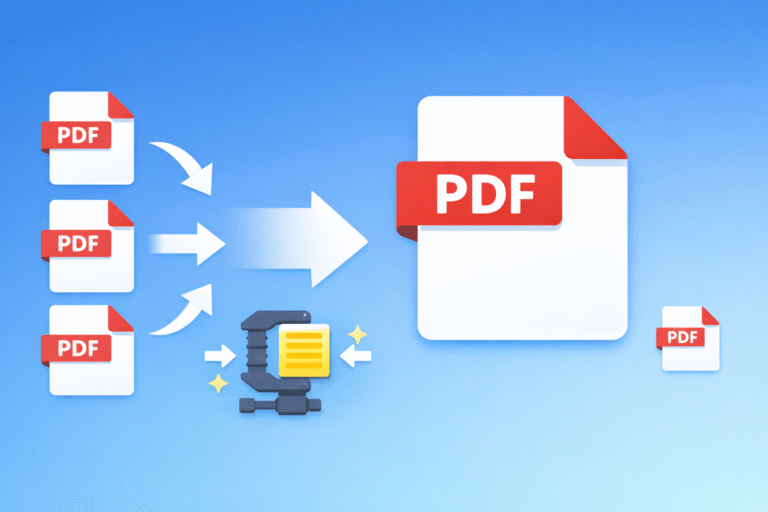
Merge Multiple PDFs Into One
The problem: You have 5 separate PDF files — invoice, ID proof, address proof, photo, application form — and you need to submit them as one document.
The solution: Use a PDF merge tool. Drag and drop your files, rearrange the order by dragging, and download the combined PDF. Takes about 10 seconds.
All processing happens in your browser. Your files are never uploaded to any server.
Split a PDF — Extract Specific Pages
The problem: You have a 50-page PDF but only need pages 12-15 for your email.
The solution: A PDF splitter lets you extract specific page ranges (e.g., 12-15) or split into individual pages. No need to email the entire document when the recipient only needs a section.
Compress Large PDFs
The problem: Your PDF is 15MB but the email attachment limit is 10MB. Or a government portal only accepts PDFs under 2MB.
The solution: A PDF compressor reduces file size by 50-80% while keeping the text sharp and readable. A 15MB PDF can easily come down to 3-4MB without visible quality loss.
Convert PDF to Images (JPG/PNG)
The problem: You want to share a PDF page on WhatsApp, Instagram, or a presentation — but these platforms don’t support PDFs.
The solution: A PDF to image converter turns each page into a separate JPG or PNG file. High quality, ready to share anywhere.
Convert Images to PDF
The problem: You’ve scanned 10 pages of handwritten notes with your phone camera. Now you need them as one PDF document.
The solution: Use a JPG to PDF converter or image to PDF tool. Select multiple images, arrange them in order, and download as a single PDF. Works with JPG, PNG, and other formats.
Add Watermark to PDF
The problem: You’re sharing a confidential business proposal or a draft document and want to mark it appropriately.
The solution: A PDF watermark tool adds text watermarks like “CONFIDENTIAL”, “DRAFT”, or “DO NOT COPY” across every page. You can customize the text, font size, color, opacity, and angle.
Sign a PDF Digitally
The problem: Someone sends you a rental agreement, offer letter, or form that needs your signature. The old way: print → sign → scan → email. That’s 4 steps and requires a printer.
The solution: A PDF signature tool lets you draw your signature with your mouse or finger (on phone), place it anywhere on the document, resize it, and download the signed PDF. One step. No printer needed.
Add Page Numbers
The problem: You’re submitting a thesis, project report, or ebook and it needs page numbers — but the original PDF doesn’t have them.
The solution: A PDF page number tool automatically adds page numbers to every page. Choose the position (top/bottom, left/center/right), format (1, 2, 3 or Page 1, Page 2), and starting number.
Rotate PDF Pages
The problem: You scanned a document but some pages came out sideways or upside down.
The solution: A PDF rotation tool lets you rotate specific pages by 90°, 180°, or 270° without affecting the rest of the document. Fix the orientation in seconds.
Rearrange PDF Pages
The problem: The pages in your PDF are in the wrong order — page 5 should come after page 2, and page 8 should be deleted entirely.
The solution: A PDF organizer shows thumbnails of all pages. Drag to reorder, click to delete. Download the reorganized PDF.
Redact Sensitive Information
The problem: You need to share a document but it contains Aadhaar numbers, bank account details, or personal information that must be hidden.
The solution: A PDF redaction tool lets you draw black boxes over sensitive areas. Unlike just placing a black rectangle on top, proper redaction permanently removes the underlying text so it can’t be copied or recovered.
Crop PDF Pages
The problem: Your PDF has large margins or unwanted headers/footers that waste space when printing.
The solution: A PDF crop tool lets you visually select the area you want to keep and removes everything outside it. Great for cleaning up scanned documents.
Add Images to PDF
The problem: You need to add a photo, stamp, or logo to an existing PDF — like adding a passport photo to a form.
The solution: A PDF image insertion tool lets you place images anywhere on any page of your PDF. Resize and position as needed.
Convert CSV/Excel Data to PDF
The problem: You have data in a spreadsheet and need to share it as a formatted PDF table.
The solution: A CSV to PDF converter turns your spreadsheet data into a clean, printable PDF table.
The Privacy Advantage
The biggest concern with online PDF tools is privacy. Popular tools like ILovePDF, SmallPDF, and PDF2Go upload your files to their servers for processing. Your sensitive documents — bank statements, Aadhaar cards, legal contracts — sit on someone else’s server.
The tools listed in this guide are different. They use client-side processing — all the work happens inside your browser using JavaScript. Your files never leave your device. You can even disconnect your internet after loading the page and the tools will still work.
This matters especially for:
- Financial documents (bank statements, tax returns)
- Legal documents (contracts, agreements)
- Identity documents (Aadhaar, PAN, passport)
- Business documents (proposals, invoices)
All PDF Tools in One Place
Instead of searching for different tools every time, bookmark one page that has everything: ToolsArena PDF Tools.
13+ PDF tools — all free, all private, all browser-based. No Adobe subscription needed.
Explore the full collection at ToolsArena.in