Save Hundreds on Photography: The AI Secret to Perfect LinkedIn Profile Pictures
Introduction
Let’s face it: we all need a professional online presence, whether it’s for LinkedIn, a company website, or a portfolio. But getting a professional headshot is a hassle. It requires booking a photographer, finding the right location, getting the lighting perfect, and often spending hundreds of dollars.
What if you could take a casual photo from your camera roll and transform it into a high-end corporate portrait in seconds?
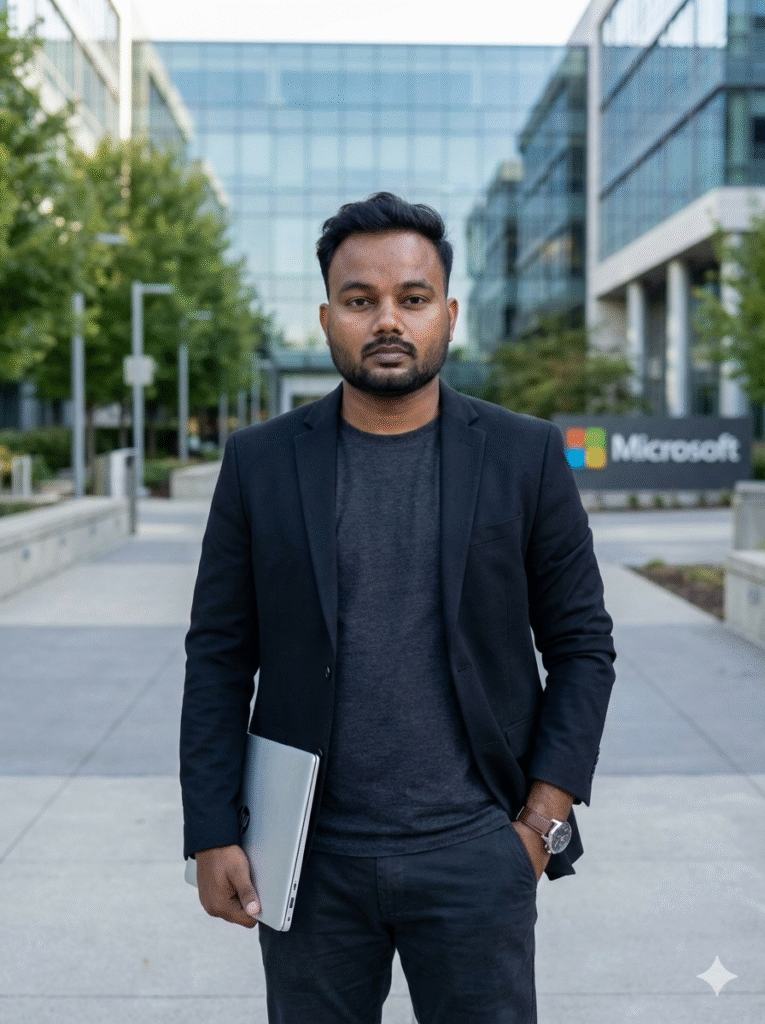
Today, in our AI Image Generator showcase, we’re proving just how powerful prompt engineering can be. We took a standard, low-light indoor selfie and used our AI tool to transport the subject to a professional setting—complete with a wardrobe upgrade and corporate branding.
Here is the breakdown of how we went from “casual vibe” to “tech professional.”
The Challenge: The “Before” Image
We started with a very common type of photo. The subject has a great natural expression, but the setting isn’t professional. The lighting is mixed, the background is cluttered with bedding and reflective wallpaper, and the shirt is casual.
The Solution: The Magic Prompt
To get a specific result with AI, you need a specific prompt. We couldn’t just say “make him look professional.” We had to define where he was, what he was wearing, and how the photo was taken.
For this transformation, we wanted to place him at a recognizable tech hub to enhance the “industry professional” vibe.
Here is the exact prompt we used:
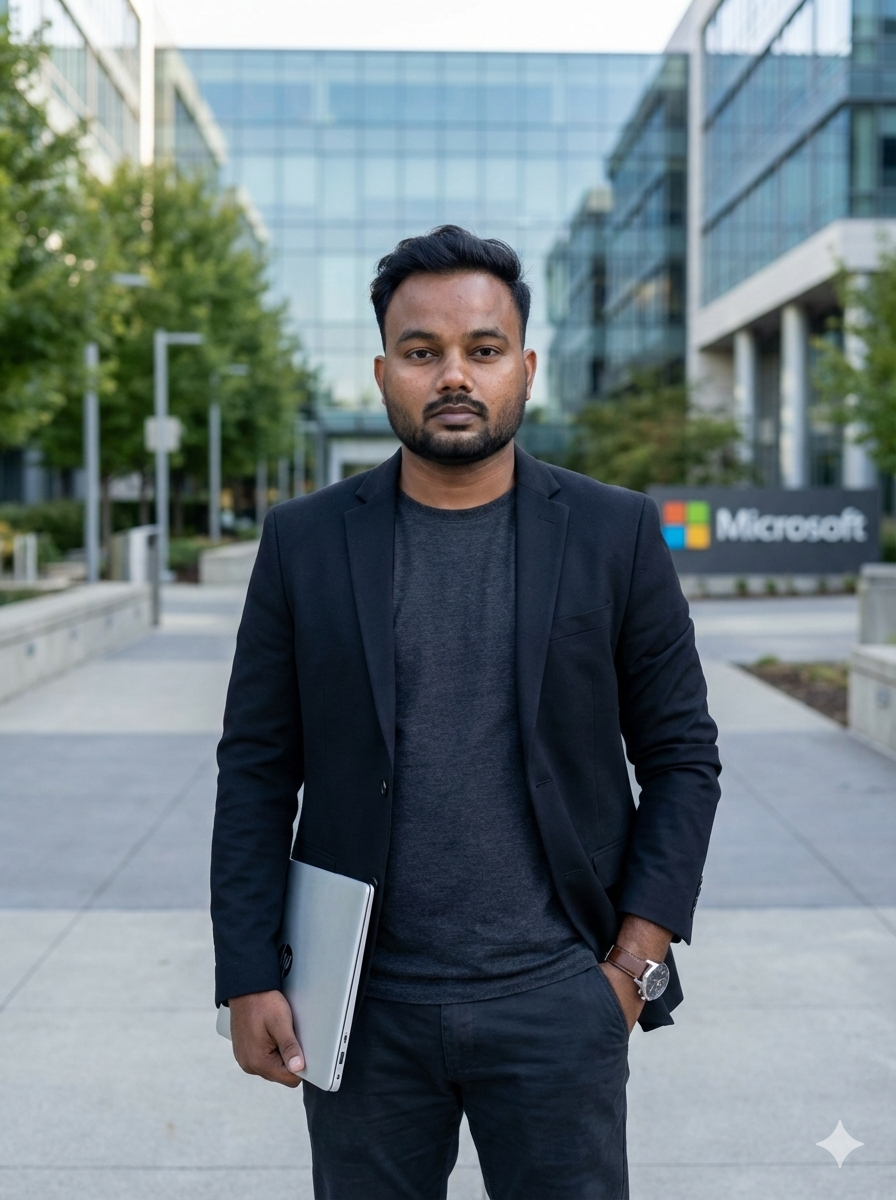
The transformation is flawless.
- Identity Preservation: It is unmistakably the same person.
- Wardrobe Upgrade: The casual tee was replaced with a sharp blazer and professional attire.
- Location Consistency: The background perfectly renders a modern tech campus, including the requested Microsoft signage.
- Photography Quality: The “flash” look of the original is replaced with professional, natural outdoor lighting and a high-quality DSLR depth-of-field.
Why This Prompt Worked (And How You Can Do It)
This generation was successful because the prompt contained three crucial elements that you should use in your own generations:
Lighting and Camera Specs: By requesting “natural daylight” and a “DSLR camera, 50mm lens style,” we told the AI to stop making a “snapshot” and start making a “photograph.”
Specific Location Anchoring: Instead of just “outside an office,” we specified a “Microsoft office campus building with glass architecture.” This gave the AI concrete visual data to work with.
Detailed Attire: We defined the “tailored blazer,” “charcoal t-shirt,” and even accessories like the “leather watch” and “silver laptop.”