Why Do Students Need Free Online Tools?
Why Do Students Need Free Online Tools?
Students today juggle assignments, presentations, exam prep, and job applications — all on tight budgets. Paid software like Microsoft Office or Adobe? Not an option for most students.
The good news: there are completely free, browser-based tools that handle everything from writing essays to building resumes — without installing anything or creating an account. Your files never leave your device, so your data stays private.
Here are 10 must-have tools every student should bookmark right now.
1. Word Counter — Never Miss a Word Limit Again
Writing an essay with a strict 500-word limit? Paste your text into a free word counter tool and instantly see your word count, character count, sentence count, and estimated reading time.
No more manually counting words. This is especially useful for college applications, research papers, and competitive exam answers that have strict limits.
2. CGPA to Percentage Converter
Many companies and universities ask for your percentage, but your marksheet shows CGPA. Different universities use different grading scales — CBSE uses 10-point, VTU uses 10-point, Mumbai University uses 7-point.
A CGPA to percentage converter handles all major Indian university grading systems. Just select your university, enter your CGPA, and get the exact percentage.
3. Resume Builder — Your First Resume, For Free
Your first resume shouldn’t cost money. Most “free” resume builders add ugly watermarks or charge you at the download step.
A truly free resume builder lets you pick a professional template, fill in your details, and download a clean PDF — no watermark, no signup, no hidden charges.
4. ATS Resume Checker — Will Your Resume Pass the Software?
Here’s something most students don’t know: 75% of resumes are rejected by software before a human ever sees them. Companies use ATS (Applicant Tracking Systems) to filter resumes by keywords and formatting.
Before submitting your resume, run it through an ATS resume checker. It scans your resume the same way company software does and tells you exactly what to fix — missing keywords, formatting issues, and weak sections.
5. Paraphrasing Tool — Rewrite Without Plagiarism
Struggling to rewrite a paragraph in your own words for an assignment? A paraphrasing tool helps you rephrase sentences while keeping the original meaning intact.
This is not about copying — it’s about learning how to express the same idea differently. Great for avoiding unintentional plagiarism in research papers and assignments.
6. Scientific Calculator — Always in Your Pocket
Forgot your Casio at home? An online scientific calculator handles trigonometry, logarithms, exponents, permutations, and everything you need for physics, math, and engineering exams.
Works on your phone too — so you literally always have a scientific calculator with you.
7. Text-to-Speech — Turn Notes Into Audio
Have 50 pages of PDF notes to revise before an exam? Convert them to audio using a text-to-speech tool and listen while commuting, exercising, or doing chores.
This is an underrated study hack — auditory learning helps you retain information better, especially for subjects with lots of theory.
8. PDF Merge — Combine All Your Documents
Submitting multiple assignment PDFs as one file? Combining scanned ID proofs for a college application? Use a PDF merge tool to drag, drop, rearrange, and combine multiple PDFs into one file.
The best part: no file is uploaded to any server. Everything processes right in your browser, so your documents stay private.
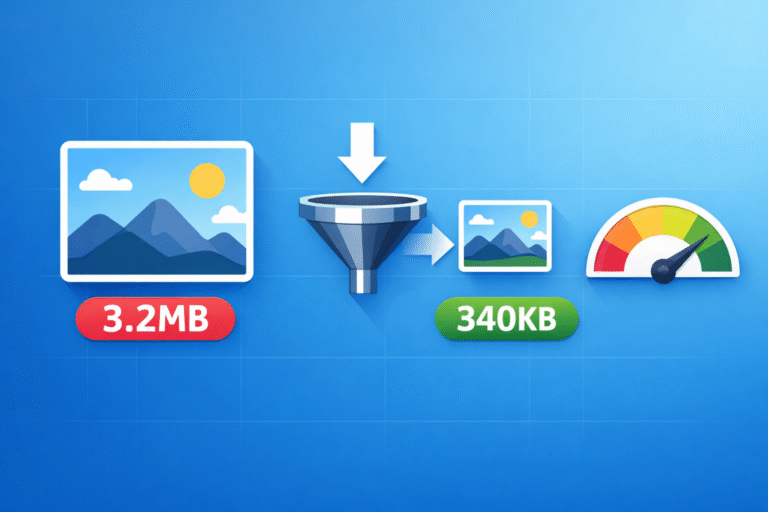
9. Image Compressor — Resize Photos to Exact KB
College forms, exam applications (UPSC, SSC, banking), and job portals all have strict photo size limits — 50KB, 100KB, 200KB. Your phone photos are usually 3-5MB.
An image compressor lets you compress any photo to an exact KB size without losing visible quality. No more getting rejected by upload forms.
10. Typing Speed Test — A Skill That Pays
Good typing speed matters more than students realize — for coding assignments, data entry jobs, government exam computer tests, and everyday productivity.
Test yourself with a free typing speed test and track your WPM (words per minute) improvement over time. Aim for 40+ WPM to start, 60+ WPM for coding and professional work.
Why These Tools Are Different
Most “free” online tools have hidden catches — they upload your files to servers, require signups, show aggressive ads, or add watermarks. The tools listed above are different:
- 100% free — no hidden charges, no premium upsells
- No signup required — just open and use
- Privacy-first — files are processed in your browser, never uploaded
- Works on any device — laptop, phone, tablet
Bonus: More Tools Worth Checking Out
Beyond these 10, here are a few more tools students find useful:
- Percentage Calculator — for quick math during exams
- Case Converter — convert text to UPPERCASE, lowercase, Title Case
- Text Compare — find differences between two texts
- Image to Text (OCR) — extract text from photos and screenshots
- Online Notepad — quick notes without installing anything
Explore all 250+ free tools at ToolsArena.in — your one-stop toolkit for student life.